Creating guides
How to create guides in the Knock dashboard to power your in-product messaging.
In this document you'll learn how to create a guide in the Knock dashboard.
Overview
#A guide is created in the Knock dashboard under the "Guides" page. Guides have:
- Content. The template of the guide. When you create your template, you select a message type which defines the schema of the content to be authored in a guide.
- Targeting rules. Configuration rules for determining which users in your application are eligible to see a guide. Targeting rules are built with the standard Knock condition builder. You can target based on audience membership, user properties, tenant properties, and more. Defaults to "All users".
- Activation rules. Configuration rules for determining where in your application the guide is rendered.
Here are some other important things to know about guides:
- Guides are version controlled. Just like workflows, guides follow our versioning model. You can create a guide in any environment, and promote changes to higher environments. Learn more about environments and version control in Knock.
- Guides depend on message types. A message type defines the schema of the content to be authored in a guide. You can think of a message type as the structure of the component, defining which fields are available.
- Guides can have personalized content. Just like workflow templates, you can personalize the contents of a guide message using Liquid.
- Guides can be managed by multiple roles. Guides can be managed by anyone with the owner, admin, or member role.
Personalization with runtime data
#Guides can receive runtime data from your application via the guides API. You can use this data to personalize the guide's content and set its targeting rules.
recipient. The current user that is requesting the guide. The full user object, including any custom properties, is available in the rendering scope.data. Any custom data provided from the client to the guides API.tenant. The full tenant object if provided to the guides API.vars. Any variables available in your Knock environment.
Drafting content
#Creating the content for a guide is just like creating an in-app message template elsewhere in Knock. You select your message type, its variant, and then use the fields available to you to draft your content.
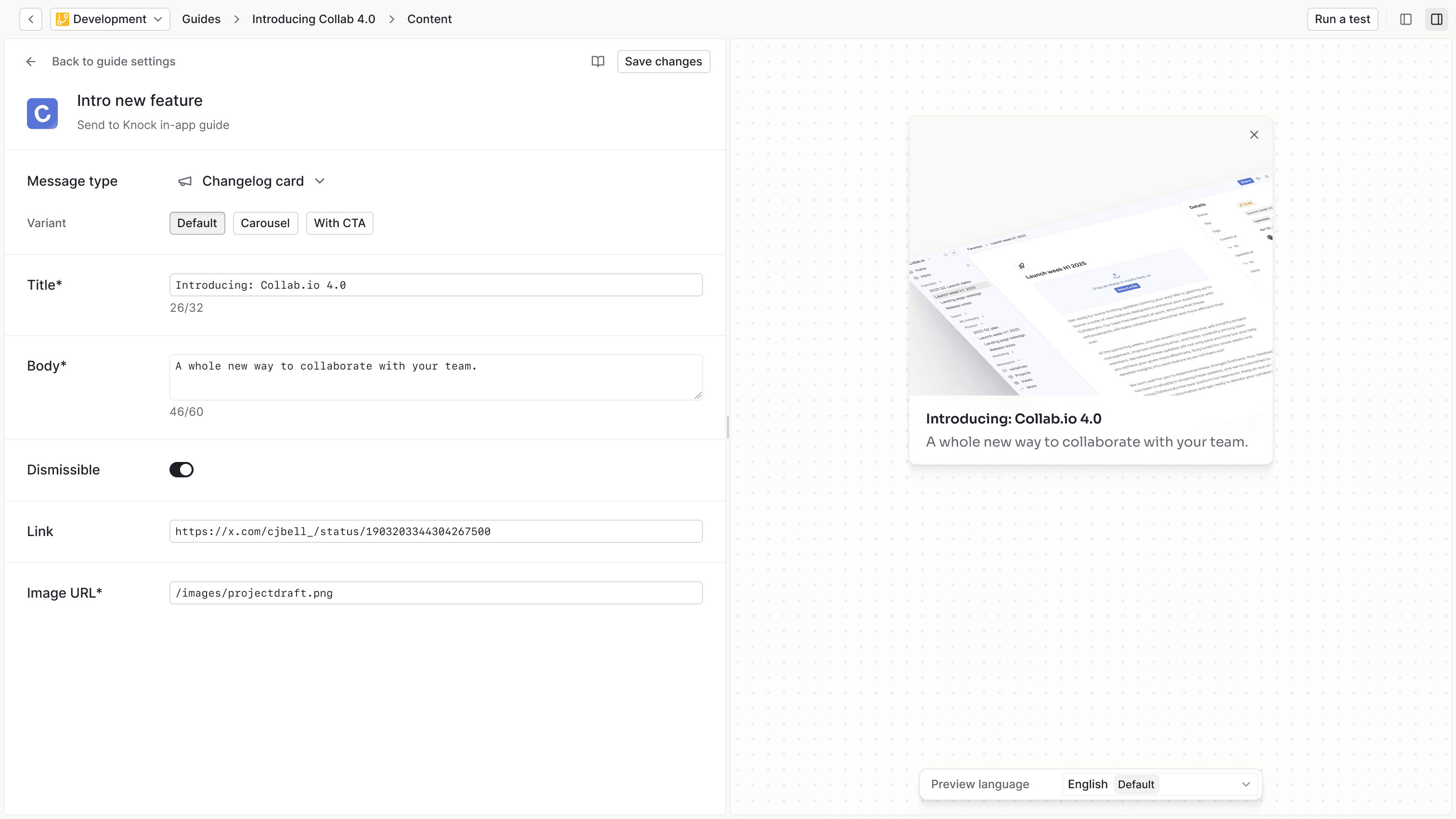
When creating your template content, you can make personalizations using Liquid and any data passed to the guides API at runtime, including data, recipient, tenant, and vars properties.
All existing Liquid filters and functions are available in the guide template, including the ability to use translations via the t tag and t filter.
Targeting
#You can currently target guides to:
- All users (no targeting)
- Users within a specific audience
It's also possible to specify targeting conditions which can further limit who is eligible for the guide using Knock's condition model. You can use conditions to target any data passed to the guides API at runtime, including data, recipient, and tenant properties.
Working with tenants
#When your application uses tenants to represent organizations, workspaces, or teams, you have additional options for controlling how and when guides appear to users. This section covers guide scoping and tenant-specific targeting behaviors.
Tenancy strict mode
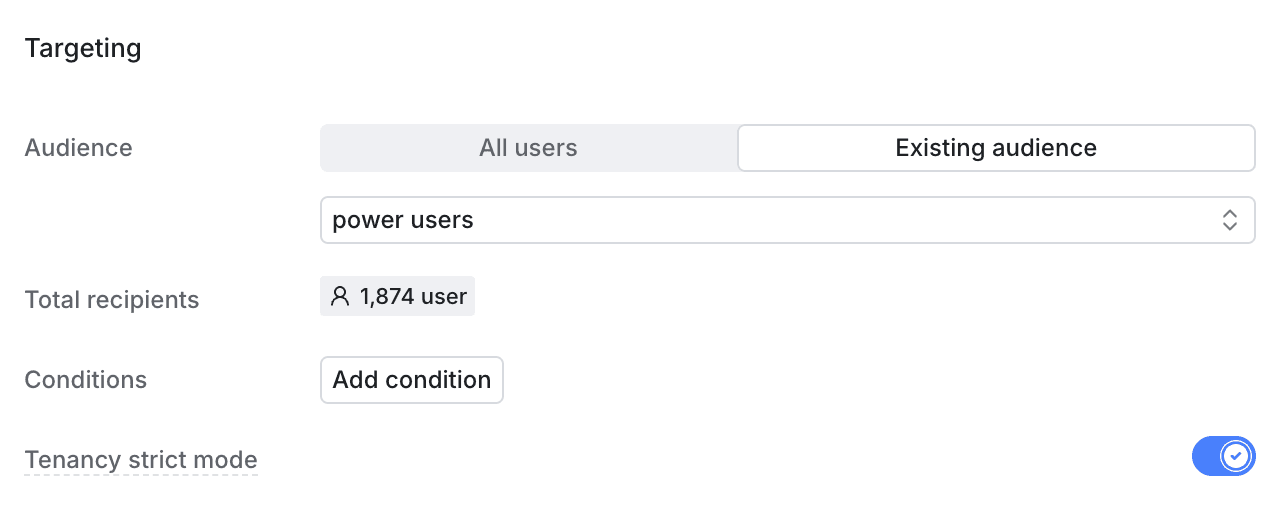
#When using audience targeting with guides, you may want to control how tenant membership is evaluated. Tenancy strict mode determines whether a tenant ID passed via targetParams must match the audience membership record for a user to see the guide.
Audience eligibility example
#Consider a guide targeting the "Power users" audience above. The audience includes two unique users, Sam and Chris. A tenant ID is provided for Sam, but not for Chris. While rendering the guide, your application passes a tenant ID to KnockGuideProvider via the targetParams prop. This could have implications for guide eligibility, depending on which tenancy strict mode setting is applied to the guide.
-
When tenancy strict mode is disabled, Sam and Chris both receive the guide, since only
user_idis checked against the audience. -
When tenancy strict mode is enabled, Chris will never receive the guide because there's no tenant provided in the audience membership record and your application passes a tenant ID to
KnockGuideProvider. Sam will only receive the guide if the tenant ID provided istenant_a. If you were to stop passing a tenant ID totargetParams, Chris would receive the guide, but Sam would not since Sam is only part of the audience in the context oftenant_a.
Using tenancy strict mode
#Enable tenancy strict mode when you need to ensure that users only see guides in tenants where they have explicit audience membership. This is useful for B2B applications where guide visibility should be scoped to specific tenant relationships.
Keep tenancy strict mode disabled when you want audience membership to be evaluated based on user identity alone, regardless of which tenant context the user is currently in.
To enable tenancy strict mode, toggle the "Tenancy strict mode" setting on in the guide's targeting rules.
Per-tenant guides
#You can configure whether your guides render once per user globally, or once for each tenant they belong to. This is controlled by the guide's Scope setting:
-
Global scope. The guide renders once per user, regardless of which tenant they're currently in. This is ideal for feature announcements that users should only see once, like feature releases, general onboarding, and account-level user notifications.
-
Per-tenant scope. The guide renders once per user-tenant pair. Users will see the guide in each tenant where they're eligible, even if they've dismissed it in another tenant. This is ideal for tenant-specific messaging like billing updates or workspace-specific onboarding.
Strict mode with per-tenant guides
#When working with per-tenant guides, tenancy strict mode determines how many times and in which tenant contexts a user sees the guide:
Activation
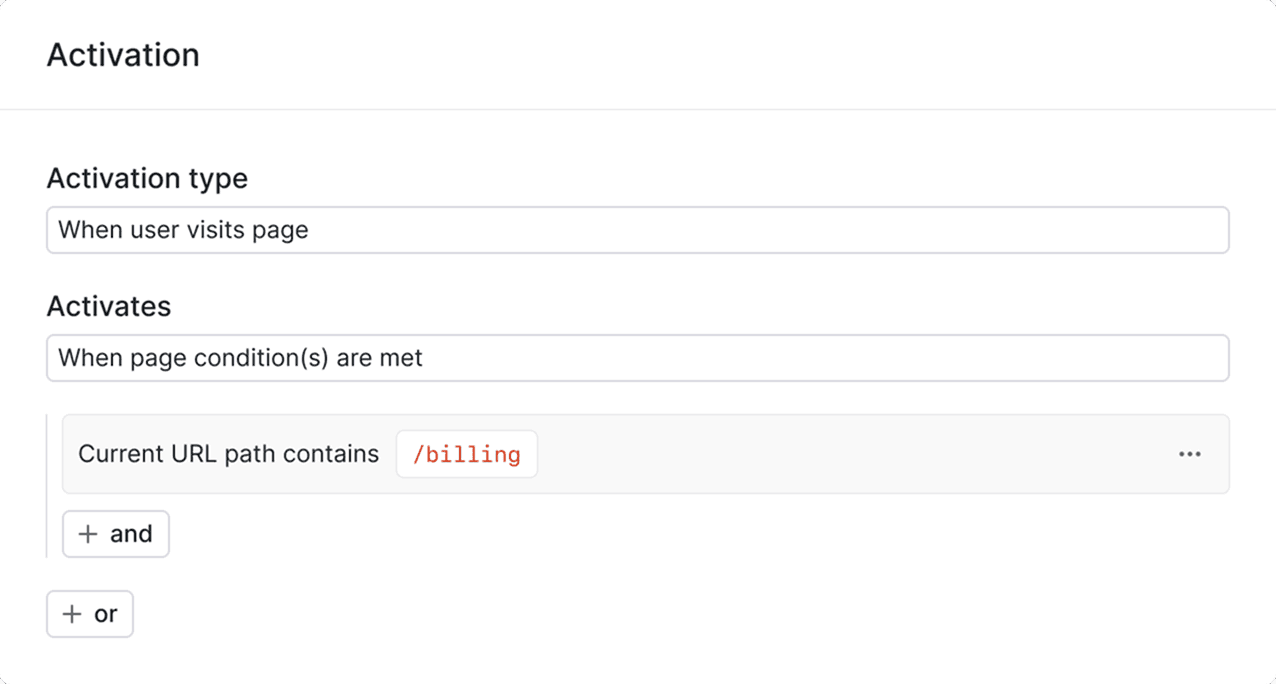
#A guide is activated when it is rendered to the user in your application. You can optionally configure activation rules that determine where in your application a guide should be rendered.
Today activation rules are limited to path-based rules, which means you can target a guide to only render on certain pages in your application.
If you do not provide any activation rules, the guide will activate when you call the useGuide hook in your application. Read more about rendering guides here.
Enabling and disabling guides
#You can stop serving a guide immediately to all your customers by toggling the "Active" status in each environment. Making the status "Inactive" will immediately stop any guides from being displayed to users.